Voice Writing on Mac, iPhone & iPad | ListenUp Dictation

Everything built around your voice

You think faster than you type. Now your writing keeps up.

Speak naturally on Mac, iPhone, and iPad. ListenUp turns rough speech into clear text, drafts from spoken instructions, and helps you edit without breaking your flow.

Free trial, no credit card. Every result is a draft for you to review.

  • MacOne global shortcut
  • iPhone & iPadOne keyboard in almost any app

From thought to draft

You keep the idea. ListenUp handles the rough edges.

  1. 01Start where you already writePress your shortcut on Mac or open the ListenUp keyboard on iPhone and iPad.
  2. 02Say the thought your wayPause, restart, or correct yourself. You do not need perfect phrasing.
  3. 03Review clear writingClean text appears where your cursor is, ready for your judgment.

A draft to review. You decide what stays.

Three ways to write

The way you speak tells ListenUp what you need.

Nothing to set up, nothing to memorize. Speak normally, begin with “listen up,” or select text first.

01

Mac, iPhone & iPad

Dictation

Speak in full, imperfect sentences. ListenUp removes filler words, handles spoken corrections, adds punctuation, and returns clean text at your cursor.

You speak normally

  • Automatic punctuation and useful formatting
  • Filler words and false starts cleaned up
  • Finished text inserted where you were typing
02

Mac, iPhone & iPad

Smart Mode

Start with “listen up,” then describe the job. ListenUp can draft an email, summary, message, outline, or list from one spoken instruction.

You start with “listen up”

  • Drafts a complete text from one instruction
  • Uses the text around your cursor so the draft fits
  • Works without choosing a mode first
03

Mac

Edit Mode

Select existing text on your Mac, press the shortcut, and say what should change. The revised version replaces the selection in place.

You select text first

  • Rephrase, shorten, expand, or change tone
  • Translate and format with a spoken instruction
  • Keep working without copying and pasting

The speed advantage

Get the full thought out before the keyboard catches up.

Say the sentence at the pace it arrives. ListenUp can finish shaping the draft while typing is still catching up, so you keep the thought intact and stay in control of the result.

Roughly 3.5× as fast as typing

140 spoken words per minute, compared with 40 typed

ListenUp finishes the sentence while the keyboard is still typing it.

Typing it out

Saying it with ListenUp

You can speak the rough version. You still choose the final one.

One account, familiar controls

It meets you where your hands already are.

ListenUp feels native to each device. Your workflow stays the same, whether you reach for a Mac shortcut or the keyboard on your iPhone or iPad.

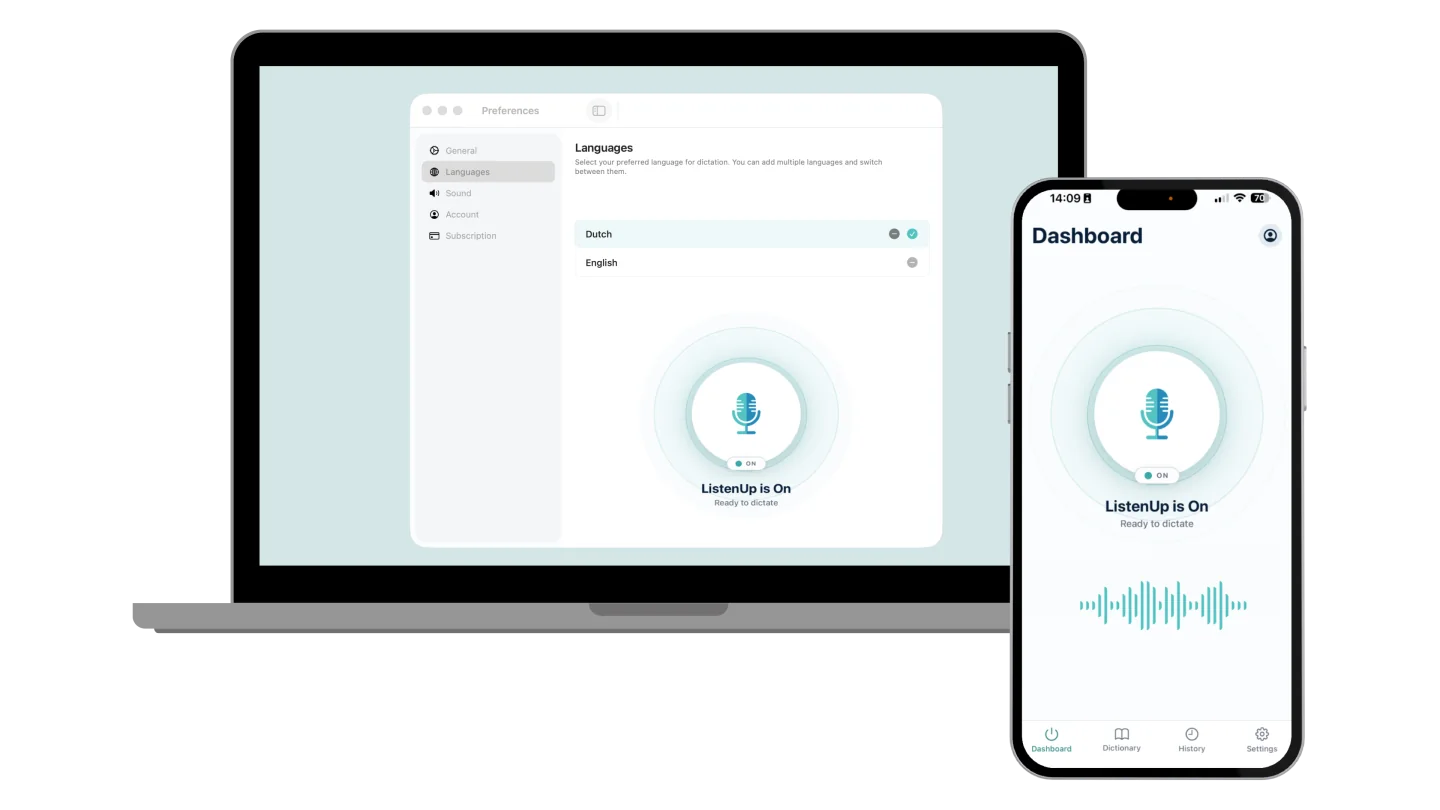
ListenUp ready to dictate on a Mac and an iPhone

On your Mac

Press one global shortcut in almost any app with a text field. The result lands at your cursor, and Edit Mode can replace selected text in place.

  • Start from the keyboard or menu bar
  • Switch dictation languages in seconds
  • Cancel a recording with Escape

On your iPhone & iPad

Switch to the ListenUp keyboard anywhere iOS allows third-party keyboards. Dictate into messages, mail, notes, AI chats, and other text fields.

  • Smart Mode is recognized automatically
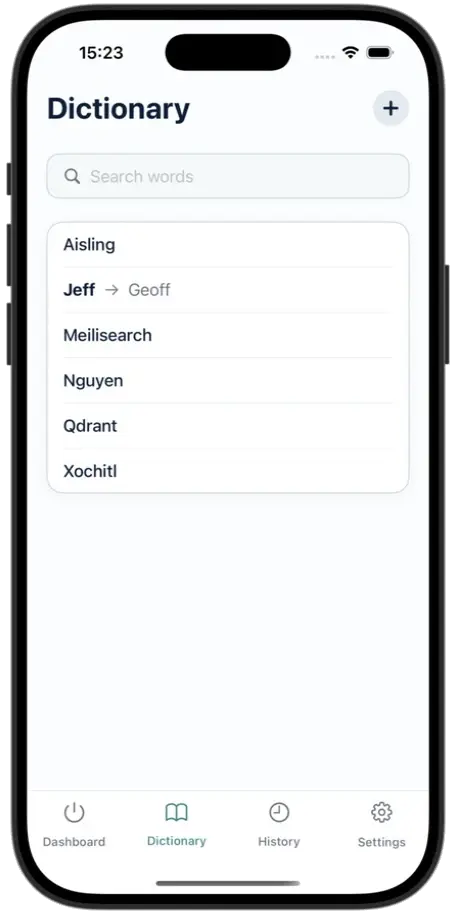
  • Dictionary and local history live in the app
  • A Live Activity shows when ListenUp is ready

A few places your voice can go

  • Mail
  • Messages
  • Notes
  • ChatGPT
  • Claude
  • Slack
  • WhatsApp
  • Gmail
  • LinkedIn
  • Notion
  • Word
  • Gemini
  • Outlook
  • Google Docs
  • Teams
  • Cursor

and almost any other app with a text field

The practical details

The more you use it, the more it feels like yours.

These are the features you notice less, but that make voice writing dependable every day, across languages, devices, and longer stretches of work.

Personalization

A dictionary for your words

Add names, acronyms, jargon, and replacements so ListenUp uses the spelling that matters to you. Your account keeps those choices available across devices.

A dictionary for your words

Languages

90+ languages

Pick the languages you use, switch whenever you need to, and dictate in the language that fits the conversation.

Privacy

On-device first, private by design

Speech is transcribed on-device whenever possible. While a language model is still downloading, a secure server fallback can process the audio, so you can start dictating right away. It deletes the audio as soon as your text comes back. The AI cleanup step receives only the transcript and limited context, never audio. Your data is never used to train AI.

iPhone & iPad

History you can revisit

On iPhone and iPad, review past dictations, compare raw and finished text, replay recordings kept in local history, and share the result when you need it elsewhere.

Paid plans

Keep getting words down offline

Paid plans can keep transcribing speech on-device for up to 24 hours after the last subscription check. The final AI polish needs a connection.

No learning curve

Ready for long thoughts

There is no voice training and no forced dictation timer on paid plans. Start talking right away. That helps most when typing feels slow, tiring, or uncomfortable.

Frequently asked questions

Answers before you download

View all FAQs

Start with the next thought

Give your hands a break. Keep your judgment in the loop.

Download ListenUp for Mac, iPhone, and iPad. Try every feature with free dictation time before you choose a plan.

Download for freeSee plans and pricing

No credit card. Your words stay yours.